What Problem Are You Actually Trying to Solve?
When people talk about "staying private online," they usually mean one of three things: hiding their IP address from websites, preventing their internet provider from seeing what they browse, or concealing their identity entirely. VPNs, proxies, and Tor each address parts of that problem - but in very different ways, with very different trade-offs.
Understanding those differences isn't just a tech exercise. It helps you pick the right tool for your real-world situation instead of over-relying on something that was never designed to protect you the way you think it does. For a broader foundation, see our guide to online privacy habits - because these tools work best alongside other practices, not as a substitute for them.
Proxies: Simple IP Substitution, Nothing More
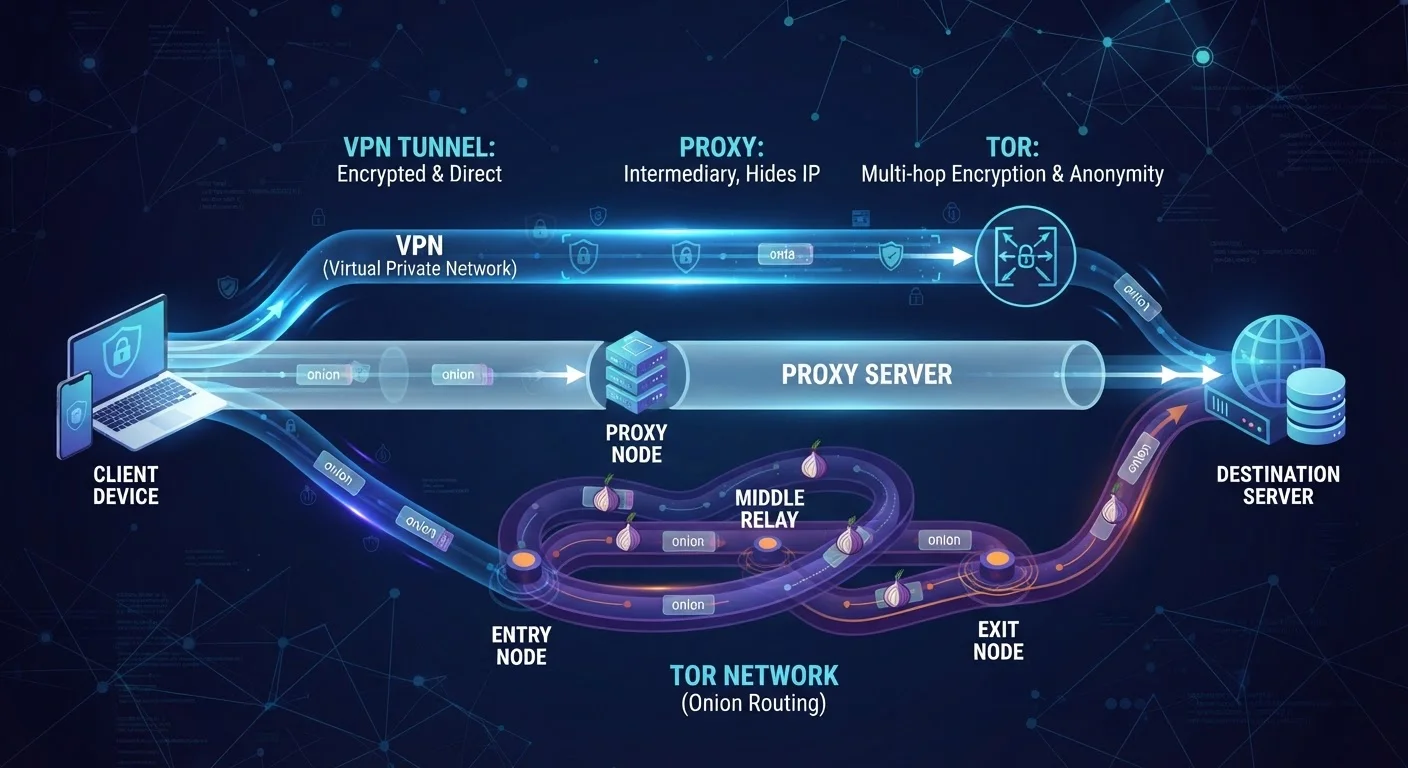
A proxy server acts as a middleman between your device and a website. When you connect through a proxy, the website sees the proxy's IP address instead of yours. That's essentially where the protection ends.
Proxies typically do not encrypt your traffic. Your internet service provider (ISP) - and anyone else on the same network - can still see what you're doing. There's also no standard for how proxy operators handle your data, and many free proxies have been found to inject ads, log traffic, or behave unreliably.
Where proxies are useful: quick, low-stakes situations like accessing a region-restricted video or a temporarily blocked site from a trusted network. They are not appropriate for anything sensitive - banking, health portals, or anything requiring login credentials.
Free Proxies Carry Serious Risks
Many free proxy services sustain themselves by logging and selling user data, injecting tracking scripts, or serving malicious ads. If you're using a proxy to protect your privacy, a free, unverified service may do the opposite. Treat any proxy that doesn't clearly explain its business model and data handling with caution.
VPNs: Encrypted Tunnels With a Catch
A Virtual Private Network (VPN) does two things a proxy doesn't: it encrypts your internet traffic and routes it through a server operated by the VPN provider. The result is that your ISP sees only that you're connected to a VPN - not which sites you visit - and websites see the VPN server's IP address instead of yours.
This makes VPNs meaningfully stronger for everyday privacy, especially on public Wi-Fi. Our article on Wi-Fi network risks explains why unencrypted connections leave you exposed in ways most people underestimate.
The catch is trust. When you use a VPN, you're shifting visibility of your traffic from your ISP to the VPN provider. If that provider logs your activity, shares data with third parties, or is compelled by law enforcement, your privacy depends entirely on their policies and jurisdiction. For a clear-eyed look at what VPNs genuinely protect - and what they don't - see our VPN explainer.
Check the VPN Provider's Logging Policy
Before using a VPN, look for a published, independently audited no-logs policy. A provider that claims not to store your activity but has never been audited is making a promise you can't verify. Independent audits - while not perfect - give you a factual basis for evaluating the claim rather than relying on marketing language.
Tor: Layered Anonymity at a Cost
Tor (The Onion Router) works on a fundamentally different model. Instead of routing your traffic through one server, Tor sends it through a circuit of at least three volunteer-operated nodes - called relays - each of which knows only the previous and next hop in the chain. No single relay knows both who you are and what you're accessing.
This layered design makes Tor the strongest of the three tools for anonymity. It's widely used by journalists, researchers, activists, and anyone in an environment where identity exposure carries real risk. It also allows access to .onion sites, which only exist within the Tor network.
The trade-offs are real. Tor is slow - multiple hops add latency, making it impractical for streaming or large downloads. Exit nodes (the final relay before the public internet) can see unencrypted traffic if you're not using HTTPS, so Tor anonymity does not equal encryption of content. And Tor usage itself can attract attention in some network environments.
3+
Relay nodes Tor uses per circuit
Each relay knows only the adjacent hops, so no single node has the full picture of your identity and destination.
~2M
Daily Tor users globally
The Tor Project's own metrics consistently show around two million daily users connecting to the network.
Comparing the Three Side by Side
Each tool occupies a different position on the spectrum of convenience versus protection. Here's how they stack up across the criteria that matter most to everyday users.
| Proxy | VPN | Tor | |
|---|---|---|---|
| Hides your IP address | Yes | Yes | Yes |
| Encrypts your traffic | No | Yes | Partially (between relays) |
| Protects from ISP visibility | No | Yes | Yes |
| Speed impact | Minimal | Slight slowdown | Significant slowdown |
| Requires trusting a provider | Yes | Yes | No (decentralized) |
| Ease of setup | Easy | Easy to moderate | Moderate |
| Best use case | Geo-restriction bypass | Everyday private browsing | High-stakes anonymity |
It's also worth noting that these tools can sometimes be combined. Running Tor through a VPN (Tor over VPN) hides your Tor usage from your ISP, though it adds complexity and doesn't eliminate the need to trust your VPN provider up to the point where traffic enters the Tor network.
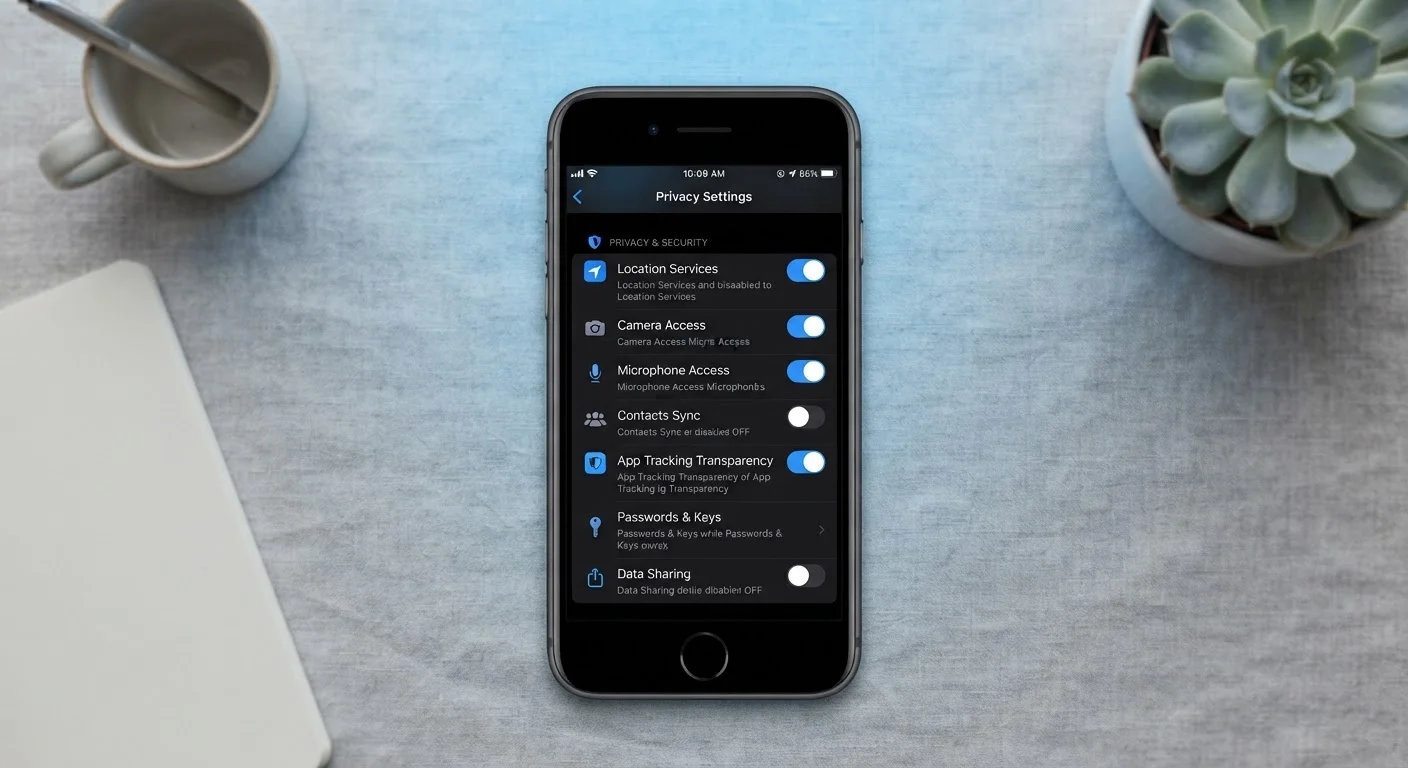
Whatever tool you choose, it won't compensate for weak account security. Our privacy settings guide covers the foundational controls that complement any traffic-routing tool.