What a VPN Actually Does
A VPN creates an encrypted tunnel between your device and a server operated by the VPN provider. When you browse through that tunnel, websites see the VPN server's IP address - not your own. Your internet service provider (ISP) sees encrypted data leaving your device, but can't read what you're doing.
Think of it like mailing a letter inside a sealed, opaque envelope, then having a trusted intermediary re-send it on your behalf. The postal service knows you sent something, but not what's inside or who ultimately receives it.
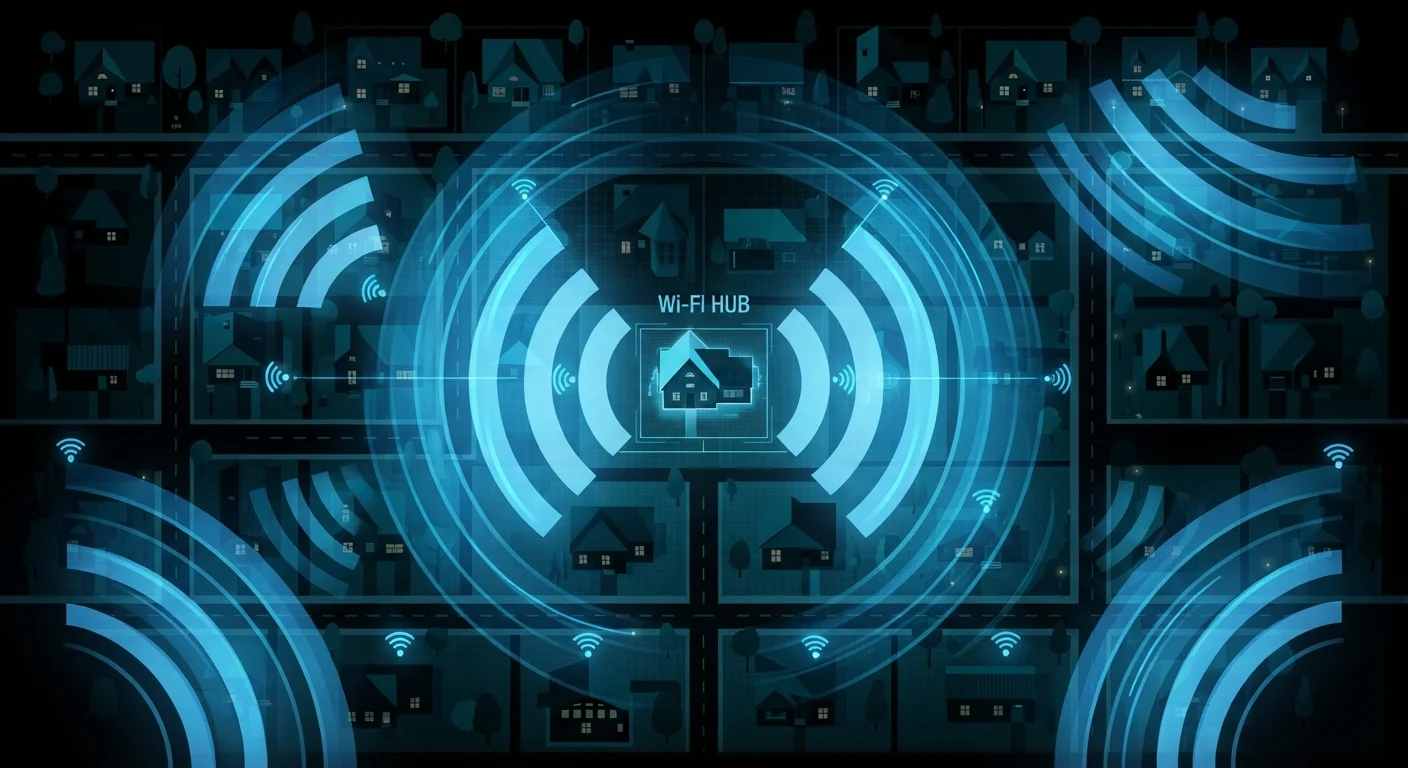
This has two concrete effects: it hides your browsing activity from your ISP, and it masks your real location from the websites you visit. For people on public networks, it also protects traffic from being intercepted by others on the same connection. See our guide to Wi-Fi network risks for why public hotspots deserve extra caution.
What VPNs Genuinely Protect You From
Encrypts traffic on public or untrusted networks
A VPN prevents other users on the same public Wi-Fi from intercepting your data, which is one of the most practical protections it offers in everyday use.
Hides browsing activity from your ISP
US ISPs can legally collect and monetize certain user data. A VPN keeps your browsing habits out of that data pipeline.
Masks your IP address from websites
Websites and ad networks use IP addresses for location inference and profile-building. A VPN substitutes the provider's IP for your own, disrupting that process.
Useful for privacy-sensitive remote work
Employees accessing company systems on untrusted connections benefit from the encryption layer a VPN provides over that last-mile connection.
The clearest benefits of a VPN show up in specific, well-defined scenarios. On a public Wi-Fi network - at an airport, coffee shop, or hotel - other users on the same network could potentially intercept unencrypted traffic. A VPN closes that exposure by encrypting everything leaving your device before it even touches the shared network.
A VPN also prevents your ISP from logging or selling your browsing history. In the US, ISPs are legally permitted to collect and monetize certain usage data. A VPN puts a privacy layer between your habits and that data collection.
Finally, masking your IP address adds a layer of pseudonymity. Websites and ad networks commonly use IP addresses to build profiles or infer your location. A VPN makes that harder - though not impossible.
What VPNs Won't Protect You From
Does not protect against malware or viruses
A VPN operates at the network level and cannot scan or block malicious files. Dedicated antivirus software is still necessary for that protection.
Cannot stop phishing attacks
If a fake website tricks you into submitting credentials, the VPN played no protective role - the threat exists at the application layer, not the network layer.
Does not provide true anonymity
Cookies, browser fingerprinting, and signed-in accounts allow websites to identify you regardless of VPN use. It adds pseudonymity, not invisibility.
Transfers trust to the VPN provider
Your VPN provider sees the same traffic your ISP would. A provider with weak privacy practices may offer less protection than users assume.
Can reduce connection speed
Routing traffic through a VPN server adds latency. The impact varies by provider and server location, but it can be noticeable for video calls or large downloads.
This is where a lot of VPN marketing overclaims. A VPN is not antivirus software. If you click a malicious link or download an infected file, the VPN won't stop the malware from running. It has no visibility into the content of files, only the network traffic carrying them.
VPNs also do nothing to stop phishing. If a fake login page fools you into entering your password, the VPN encrypted that interaction - but the damage is done on the application layer, not the network layer.
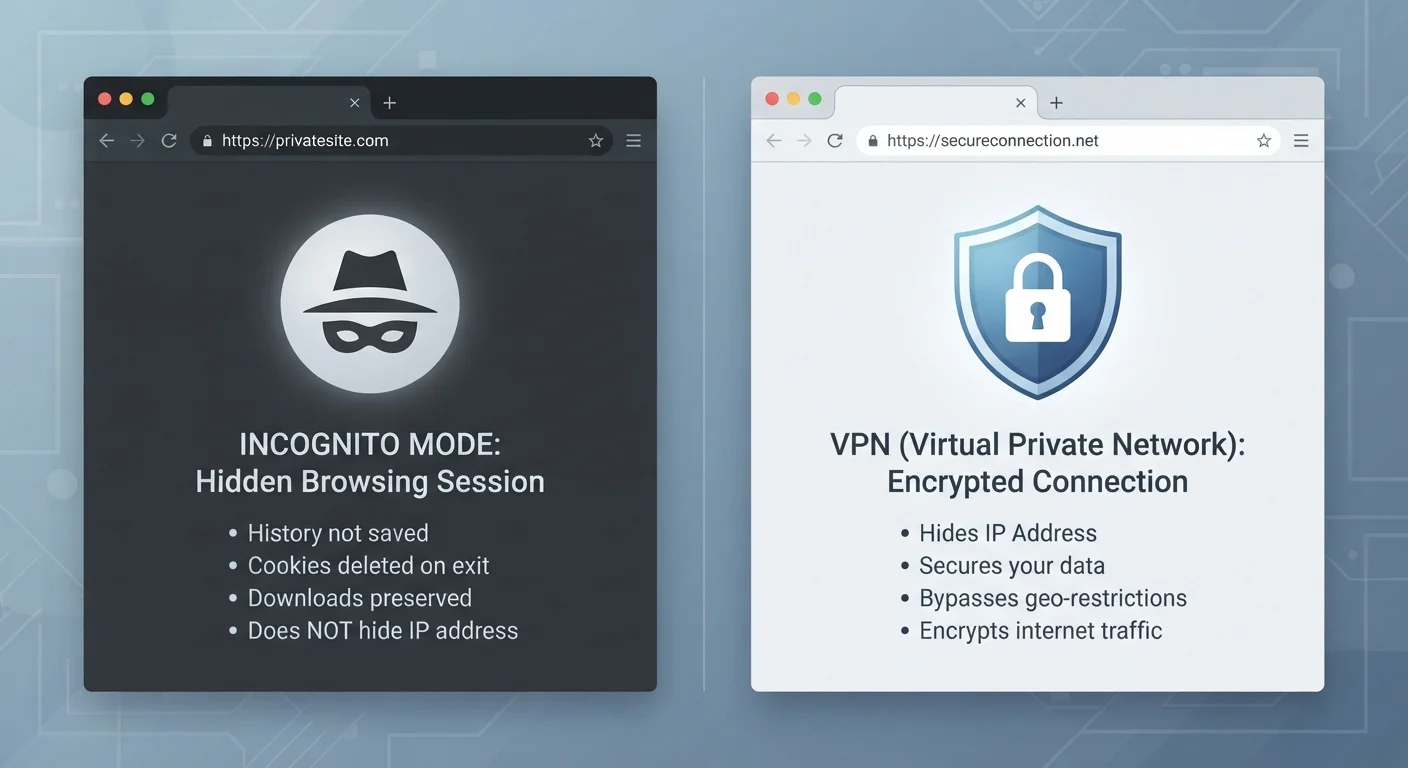
Perhaps most importantly: a VPN does not make you anonymous. Websites can still identify you through cookies, browser fingerprinting, and logged-in accounts. Google knows who you are when you're signed into Gmail, VPN or not. For a deeper look at these distinctions, our article on VPNs versus private browsing clarifies what each tool actually covers.
HTTPS Already Encrypts Most Web Traffic
The padlock icon in your browser's address bar means the connection between your device and that website is already encrypted using HTTPS - regardless of whether you're using a VPN. A VPN adds a layer on top of that, hiding which sites you're visiting from your ISP. But for basic data security between you and a legitimate website, HTTPS does a lot of the work already. VPNs and HTTPS complement each other rather than replace one another.
The Trust Problem Nobody Talks About
Using a VPN shifts your trust from your ISP to your VPN provider. Your VPN provider can see all the same traffic your ISP could - they're just a different intermediary. A provider that logs and sells your data, or that complies too readily with data requests, may offer less real privacy than not using one at all.
This doesn't mean VPNs are untrustworthy by default, but it does mean the choice of provider matters. Look for providers with independently audited no-logs policies and transparent ownership structures.
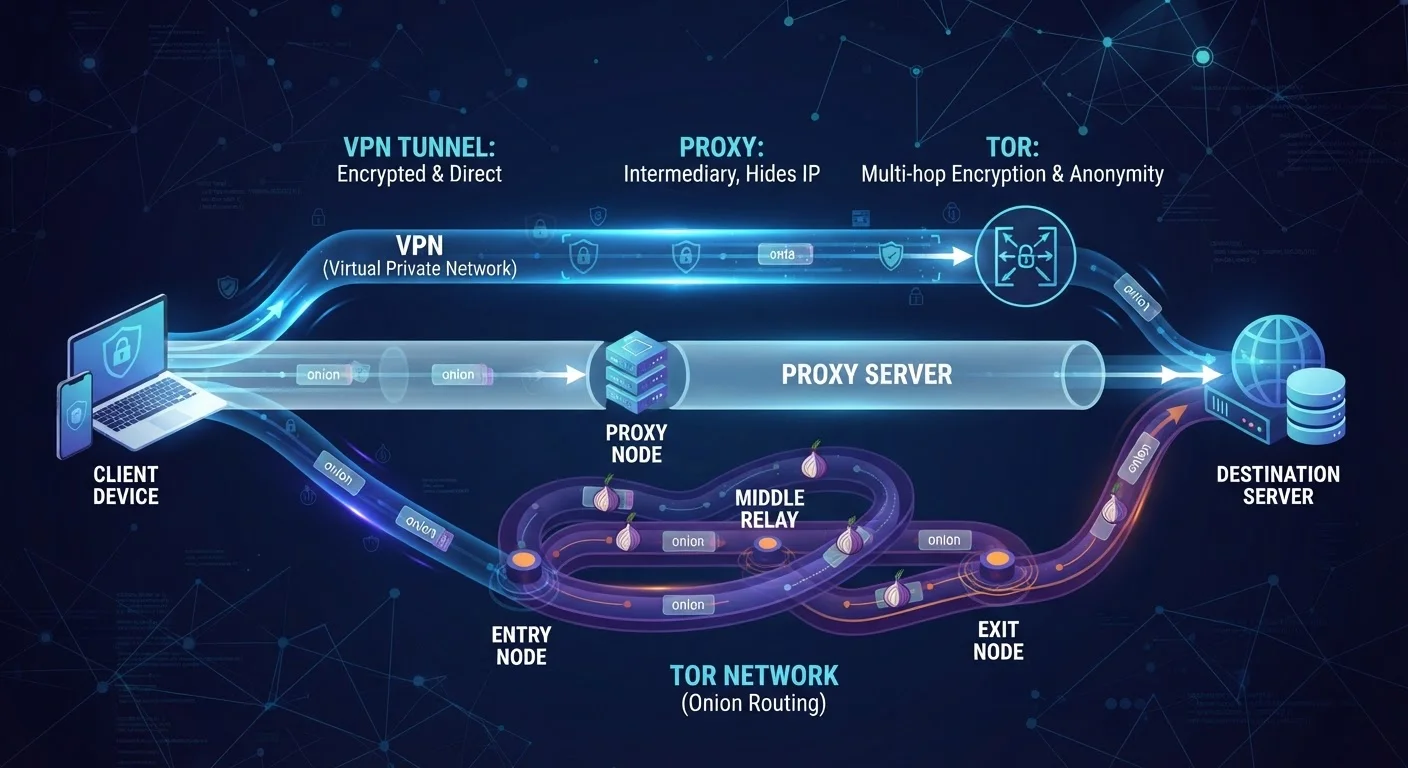
For a broader comparison of privacy tools, our explainer on VPNs, proxies, and Tor walks through how each approach differs and who each one suits.
31%
Global VPN usage rate among internet users
According to GlobalWebIndex data cited in multiple industry reports, roughly one in three internet users worldwide has used a VPN in a given month.
~5ms-50ms
Typical latency added by a VPN connection
Independent speed tests published by consumer technology outlets suggest VPNs can add anywhere from negligible to noticeable latency depending on server distance and provider infrastructure.
When a VPN Is Worth Using - and When It Isn't
VPNs make the most sense in high-exposure situations: using public Wi-Fi regularly, traveling internationally, working remotely on sensitive accounts, or living in a jurisdiction with aggressive ISP data collection. If privacy is a genuine concern for you, our article on why digital privacy matters beyond "nothing to hide" provides useful framing.
For everyday home browsing on a secured, password-protected network, the practical benefit of a VPN is smaller. Most home routers already prevent the kind of local-network interception that VPNs guard against in public spaces. Adding a VPN at home primarily addresses ISP data collection - a real concern for some, but not a pressing threat for everyone.
The honest answer is that a VPN is one tool among several. Combine it with strong passwords, two-factor authentication, and basic phishing awareness, and you have a genuinely robust everyday security posture.