What Incognito Mode Actually Does
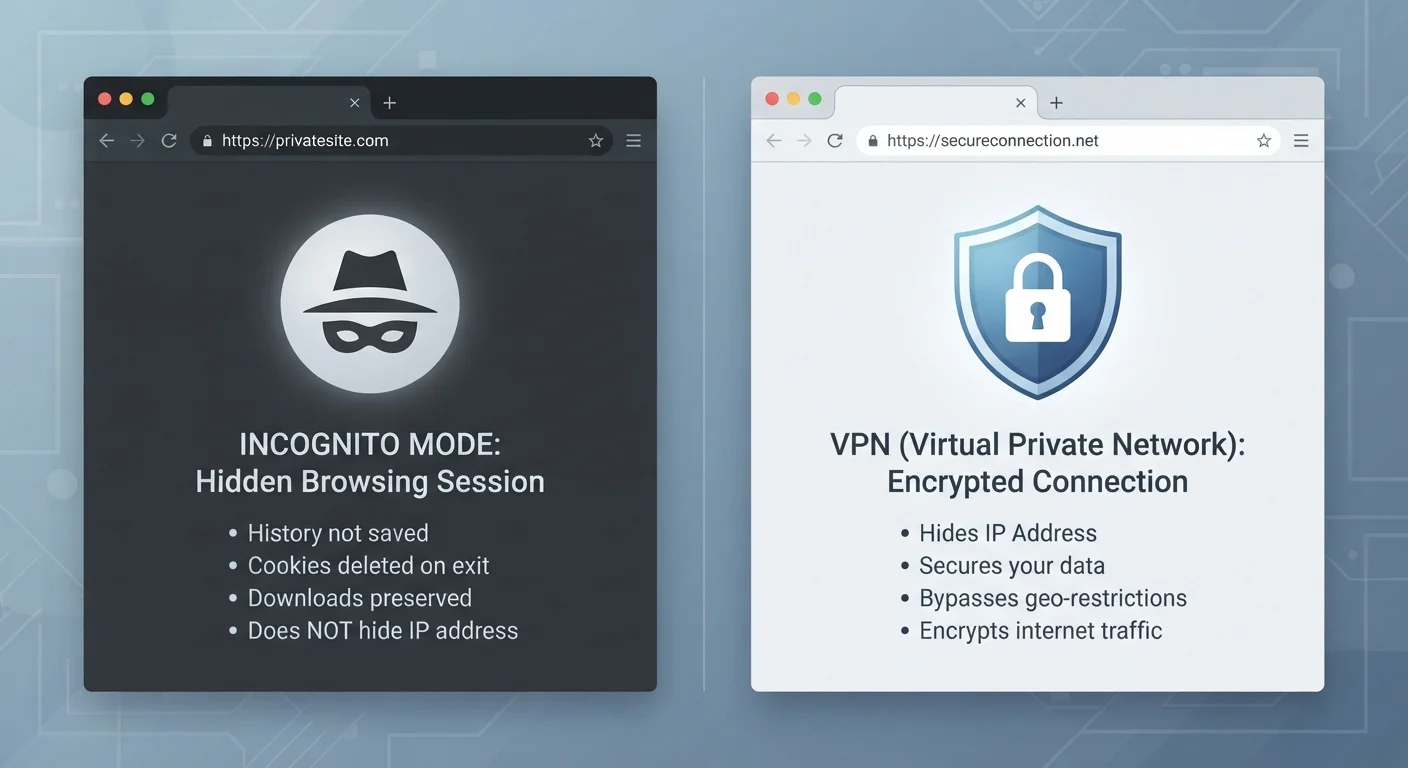
Private browsing - called Incognito in Chrome, Private Window in Firefox and Safari - is a feature built into your browser. When you open one of these sessions, your browser does three things: it stops saving your browsing history, it doesn't store cookies or site data after the window closes, and it doesn't remember anything you type into forms.
That's genuinely useful in specific situations. Searching for a gift on a shared family computer, logging into a secondary email account, or checking a flight price without triggering price-tracking cookies are all reasonable incognito use cases.
But here's what it doesn't do: it doesn't hide your activity from the websites you visit, your employer's network, your school's Wi-Fi, or your internet service provider (ISP). The sites you load still see your IP address - a numerical label assigned to your internet connection - and your ISP can still log which domains you contact. Incognito is a local eraser, not a network cloak.
A Common Misconception Worth Clearing Up
Many browsers display a disclaimer when you open a private window explaining exactly what data is and isn't saved. It's easy to skip past this screen, but it spells out the limitations clearly. The confusion isn't about hidden fine print - it's about the word 'private' implying more protection than the feature actually provides. Private browsing is private from other people using your device, not from the broader internet.
What a VPN Actually Does
A VPN - short for Virtual Private Network - works at the network level, not the browser level. When you connect to a VPN, your device creates an encrypted tunnel to a VPN server. All of your internet traffic travels through that tunnel before reaching its destination.
This does two significant things. First, your ISP and anyone monitoring your local network (say, the café's Wi-Fi router) can see that you're connected to a VPN server, but not which websites you're visiting or what data you're exchanging. Second, the websites you visit see the VPN server's IP address instead of your own, which means your geographic location and identity are partially obscured.
A VPN works across your entire device - not just one browser tab. Every app that connects to the internet routes through the encrypted tunnel, which is a much broader scope than incognito mode. For a deeper look at what VPNs genuinely protect against and where they fall short, see our VPNs explained guide.
| Criterion | Incognito/Private Tab | VPN |
|---|---|---|
| Hides history from device | Yes | No |
| Hides traffic from ISP | No | Yes |
| Masks your IP address | No | Yes |
| Encrypts internet traffic | No | Yes |
| Works across all apps | No - browser only | Yes - device-wide |
| Requires extra software | No - built into browser | Yes - VPN app needed |
| Stops website tracking | Partially (clears cookies) | Partially (hides IP) |
| Protects on public Wi-Fi | No | Yes |
What Neither Tool Protects You From
It's worth being direct: neither incognito mode nor a VPN makes you anonymous. Websites can still identify you through browser fingerprinting - a technique that combines details like your screen resolution, installed fonts, and browser version into a surprisingly unique profile. Logged-in accounts (Google, Facebook, your bank) can still track your behaviour across sessions regardless of incognito or VPN status.
A VPN also requires you to trust the VPN provider itself. Because your traffic routes through their servers, a low-quality or dishonest provider could theoretically log your activity. This is one reason that understanding the tool matters before committing to it.
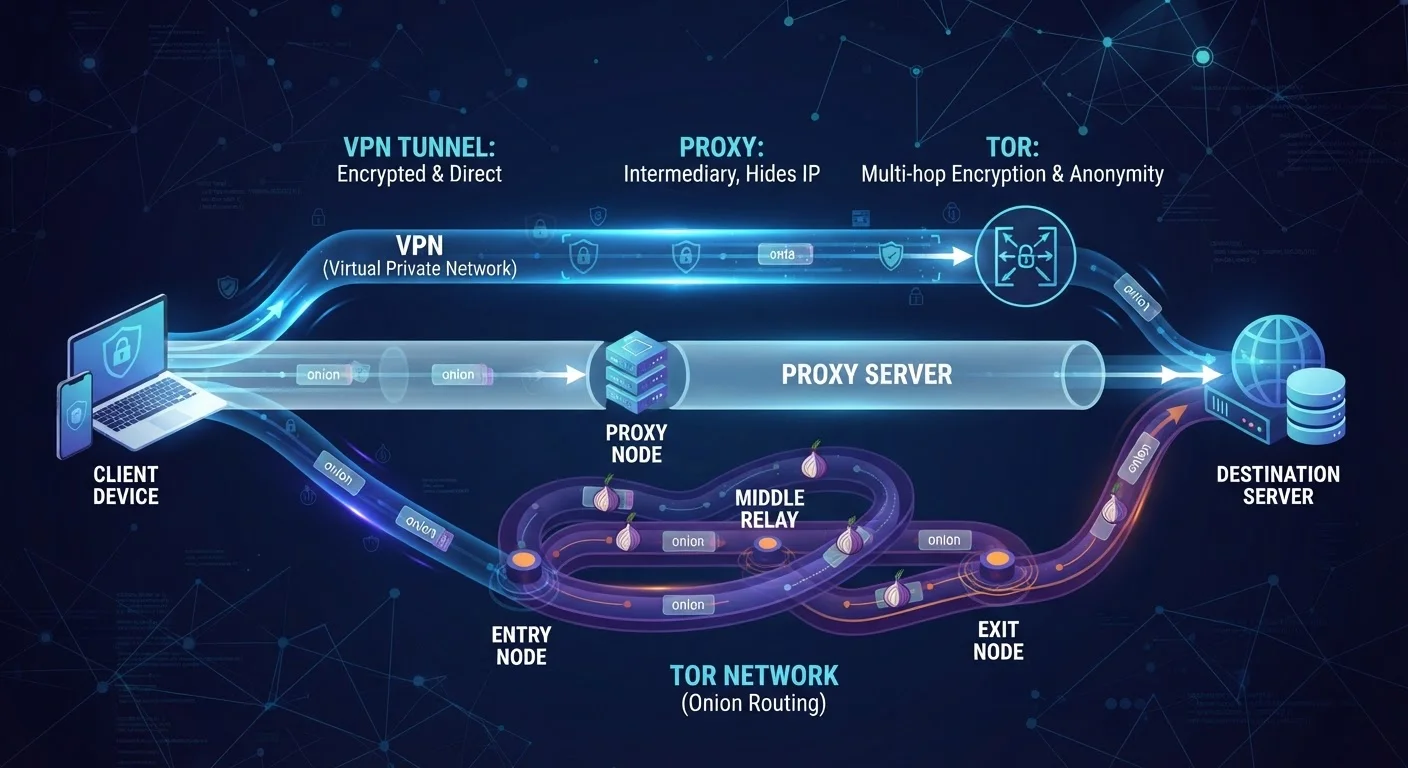
If you're curious about other privacy tools that take a different approach altogether - including options that don't rely on a single intermediary server - our comparison of VPNs, proxies, and Tor explains how they differ.
~31%
US adults who use a VPN
A 2023 Pew Research Center survey found roughly three in ten US adults reported using a VPN at least occasionally.
4 in 10
Users who misunderstand incognito
Research published by the University of Chicago found a significant share of users incorrectly believe incognito mode hides activity from their ISP or employer.
Choosing the Right Tool for the Right Threat
The key question isn't "which is better?" - it's "what am I actually trying to protect against?" These two tools address different threats, and in many cases they complement rather than replace each other.
If your concern is someone else on your device seeing your search history, incognito is the right fit. If your concern is someone on your network - or your ISP - monitoring your traffic, a VPN is the relevant layer. If both concerns apply, using both simultaneously is a reasonable approach: open a private browser window while connected to a VPN and you get local-session privacy plus encrypted network traffic.
Building good privacy habits doesn't stop here. Our guide on online privacy habits worth building covers practical steps that work alongside tools like these. And if you've layered browser extensions into your setup, it's worth understanding how they interact with your privacy - sometimes helpfully, sometimes not, as explored in our article on browser extensions and their trade-offs.
Neither incognito mode nor a VPN is a silver bullet. But knowing what each one actually does - and doesn't do - puts you in a much stronger position than most casual internet users.